A good idea often turns up in the middle of a ChatGPT conversation, and then the chat scrolls away. With the Virlow app in ChatGPT, you can save that idea as you go and bring it back in a later chat. Everything ChatGPT saves goes to your Virlow account, where you can read it, edit it or delete it.
What it is for
- Save ideas and facts from a chat. A plan, a list, a decision, a preference.
- Get them back later. In a new chat, ask what you have in Virlow about a topic.
- See and edit everything yourself. What ChatGPT saves is encrypted in Virlow, next to the notes you write yourself.
Connect it once
- In ChatGPT, connect the Virlow app and sign in with your Virlow account.
- Virlow shows one screen. Choose what ChatGPT can do: Memories, Notes and To-dos are on, and Move notes to Trash stays off unless you choose it.
- Choose which workspaces it can use: only a new ChatGPT workspace, workspaces you pick, or all of yours, including ones you create later. Workspaces other people shared with you are included only if you tick that too.
- Choose how long it stays unlocked. A day is the default, up to 5 days, or until you lock it.
- Enter your master password and choose Allow. You are back in ChatGPT, ready to go.
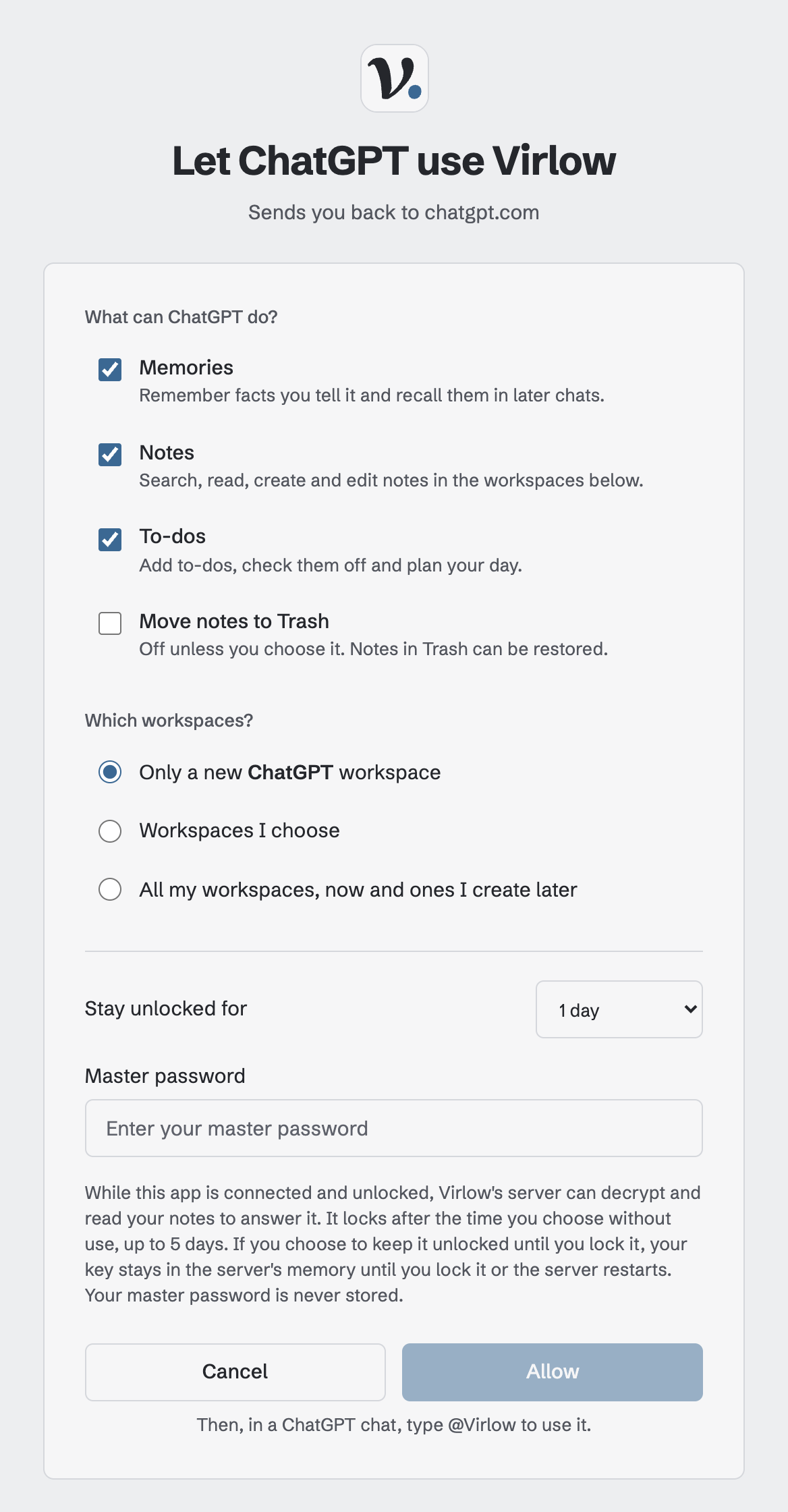
Your master password is entered on Virlow's page, never in the chat, and it is never stored. When the time you chose runs out without use, ChatGPT gives you a link to unlock again. The free plan connects one AI app over the web. Virlow Pro connects every one.
Turn Virlow on in a chat
ChatGPT uses Virlow only when the app is active in the conversation. It does not check Virlow by itself when you start a new chat. To bring it in, do one of these:
- choose Virlow from the + menu in the chat,
- type @Virlow,
- or ask for it by name, for example "Use Virlow to find my notes about the garden."
Three things to say
"Save this to Virlow." ChatGPT writes a new note with what you were working on. To put it in a particular workspace, name it: "Save this to my Ideas workspace in Virlow."
"Remember that ..." ChatGPT saves a short fact as a memory, for example "Remember that I'm planning a trip to Lisbon in May." It tells you in one line what it saved.
"What do I have in Virlow about ...?" ChatGPT searches your memories and notes and answers from what it finds.
You can also add to your to-do list: "Add a to-do to call the landlord on Friday."
Memories are for facts you want repeated in later chats, so leave out anything you would not want said back to you. When saving a memory, Virlow refuses text that looks like a password, a card number or an account number. What to let an AI assistant remember is a short guide to choosing.
Where it shows up
Open app.virlow.com. Notes ChatGPT creates are under Notes, and memories are under Memories. Each one is an encrypted note you can open, edit or delete.
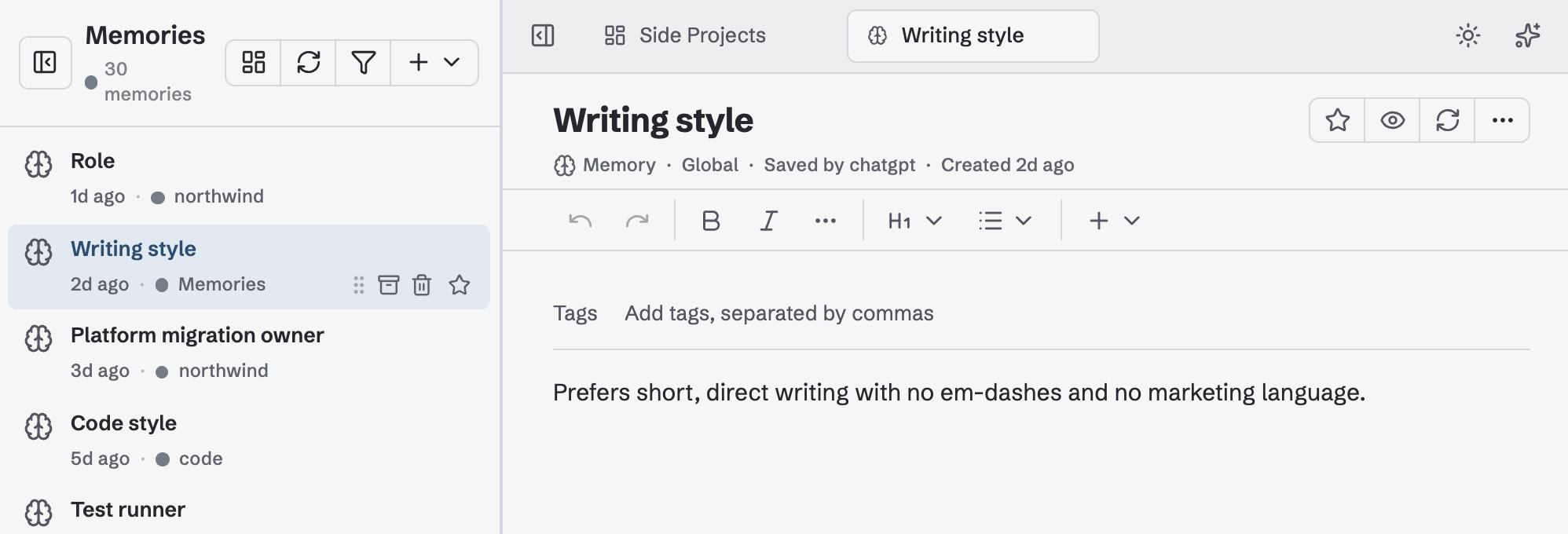
What ChatGPT can read back is what you chose when you connected:
- Memories work everywhere in ChatGPT once allowed. Saving new memories is part of Virlow Pro. On the free plan, ChatGPT can still recall the memories you already have.
- Notes come back from the workspaces you chose. With the default, that is the ChatGPT workspace, so a note ChatGPT saves is one it can find again. A note in another workspace is still in Virlow, but ChatGPT cannot read it unless you include that workspace.
To change any of this later, open Settings → Security → Connected apps in Virlow and choose Change next to ChatGPT.
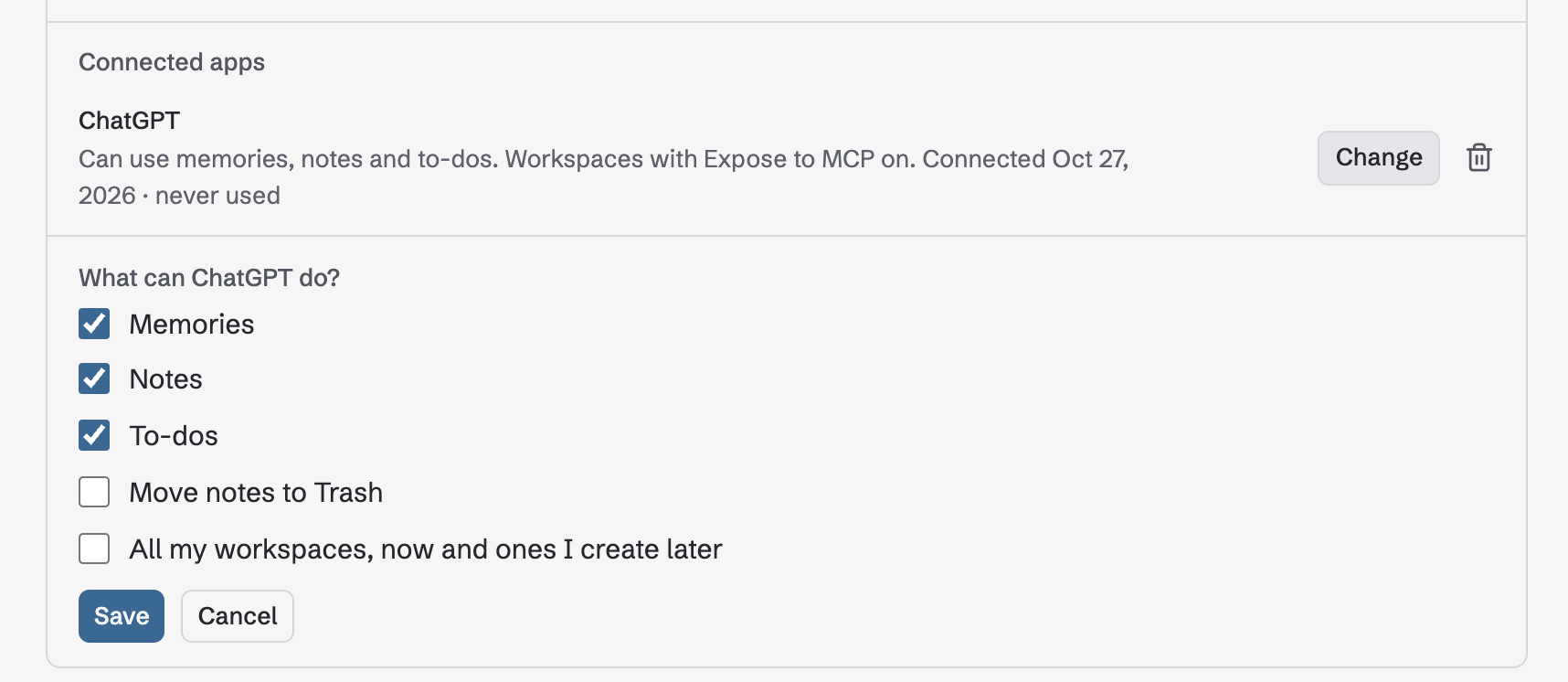
What is shared with ChatGPT
Your notes are end-to-end encrypted in Virlow, but ChatGPT works with readable text. When the app is active, ChatGPT and OpenAI receive the content Virlow returns and what you ask it to save, under OpenAI's policies. While your session is unlocked, Virlow's server can decrypt your notes to answer ChatGPT. What happens to your private notes when you connect an AI assistant explains this in more detail.
To stop, choose Lock now on the unlock page, or disconnect ChatGPT under Connected apps in Settings → Security. Locking or disconnecting does not erase what ChatGPT already received.
The AI connections guide covers other AI apps.