Virlow is now on Android. The app is native, built in Kotlin with Jetpack Compose and no web view, and it opens the same notes, workspaces, folders and AI memories you already have on the web.
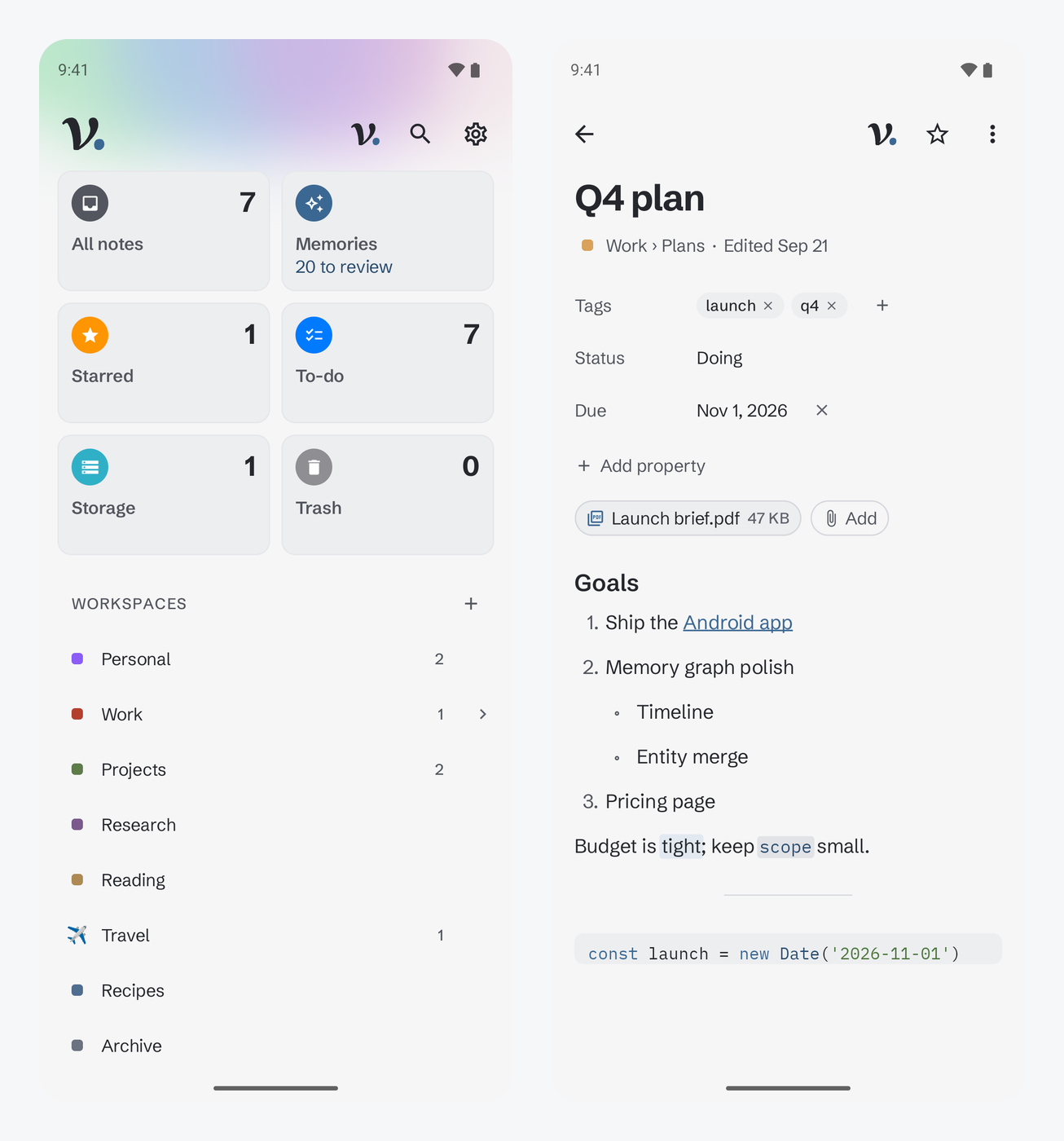
Encrypted on your phone, like on the web
Your notes are encrypted on the device with your master password, the same way they are in the browser. Unlock with your fingerprint or face instead of typing it each time.
Changes sync live between your devices, and you can see when someone else is in the same note. The app works offline too: write, and even start new notes, without a connection. Everything syncs when you are back online.
As on the web, two optional features send content off your device: the hosted AI connector, which decrypts on Virlow's server while you have it unlocked so web AI apps can use your notes, and code execution, which runs your code on Virlow's service. The security page has the details.
Memories, on your phone
Claude, ChatGPT and your other connected assistants save what they learn to Virlow, encrypted like your notes. The Memories screen shows what they learned this week and lets you check it in a minute. Saving memories is part of Virlow Pro; on the free plan, Memories shows what Pro adds.
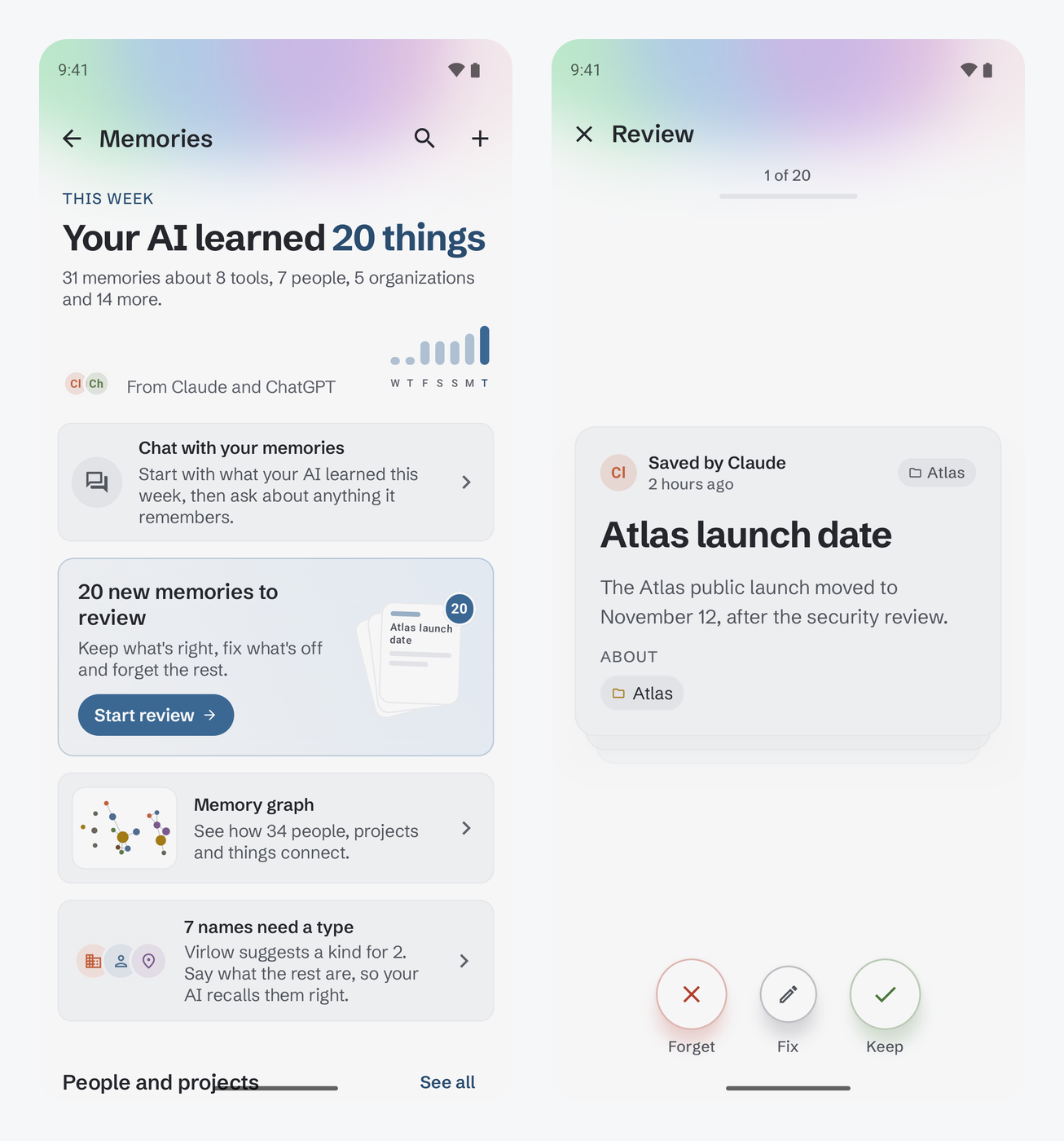
The review deck. New memories come up one card at a time. Keep what is right, forget what is not, or tap Fix to correct it in place.
People and projects. Every person and project your memories mention gets its own page: what is true now, what changed and when, and the memories behind each fact.
The memory graph. Pinch to zoom, drag to look around, filter by kind, and tap a dot to open its page.
Sort out untyped names. When an assistant saves a name without saying what it is, Virlow lists it and suggests a kind where your own memories point one way.
Remember from anywhere. Write a memory with the + button on the Memories screen, or share text from any app and choose Memory instead of Note.
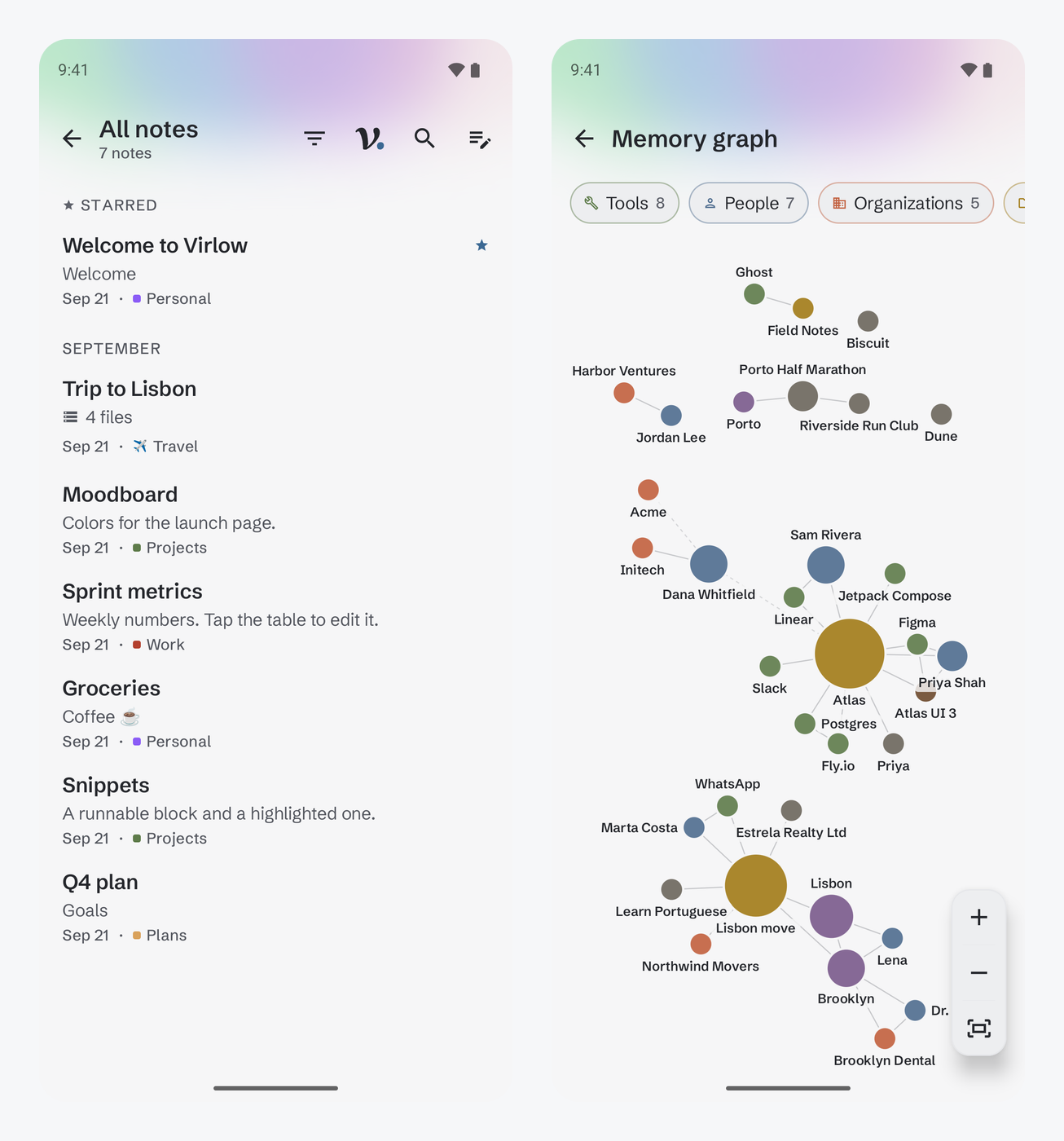
The full editor, not a lite one
Headings, lists and checklists, links between notes, images, tables you can edit, and code blocks with syntax colors and code you can run. Notes keep the properties and tags you set on the web, files can be attached to any note, and you can go back to an earlier version of a note.
Filter a note list by starred, attachments, tags or the workspace's own properties, and sort it by date, title or starred. Your to-do lists are there as well.
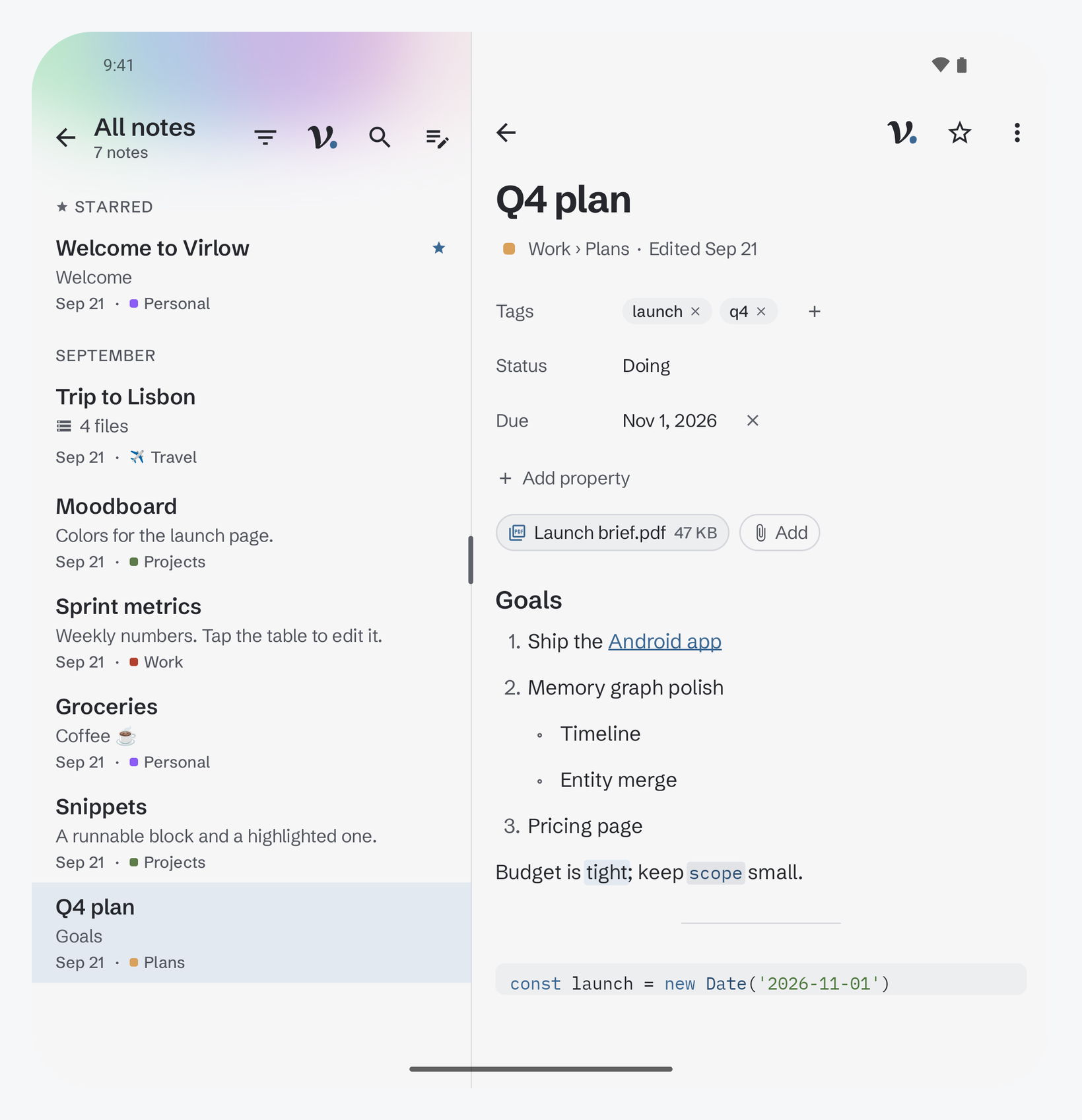
Made for foldables
On a Pixel Fold or another wide screen, the note list and the note you are reading sit side by side. Drag the line between them to give either side more room, and Virlow remembers where you left it.
A tap away, all over your phone
- Home screen widgets. New note, Starred notes, Recent notes, and Recently learned for what your AI picked up this week.
- Quick Settings tiles. New note and Remember, from the top of the screen.
- App shortcuts. Press and hold the Virlow icon for New note, Search notes or Remember.
- The share sheet. Save links, text and files from any app as a note, or text as a memory.
Note titles only show up in widgets if you turn that on in Virlow's settings.
The app has the web's themes, each in light and dark, and your theme follows you to your other devices. A color glow can sit behind the header: Aurora, Accent, or off.
Shared workspaces
Workspaces you share on the web work on Android too, with the same Owner, Editor and Viewer roles. If someone in a shared workspace bothers you, you can report or block them from the People sheet, and manage the people you blocked in Settings.
Free and Pro
Virlow has two plans, Free and Pro, and your notes are never the thing you pay for. Virlow Pro adds AI memories, the memory graph, the built-in assistant, every AI app over the web, more room for files and more code runs. On Google Play, Pro is $7.99 a month or $71.99 a year. On the web, it is $6 a month billed yearly ($72), or $8 billed monthly. The pricing page compares the plans.
Already using Virlow on the web? Sign in with the same account and your workspaces are there. New to Virlow? Read what the name stands for.